musiris.app

Features

On this page we show the main features and characteristics of the software.

Everything in one place

Learning groups

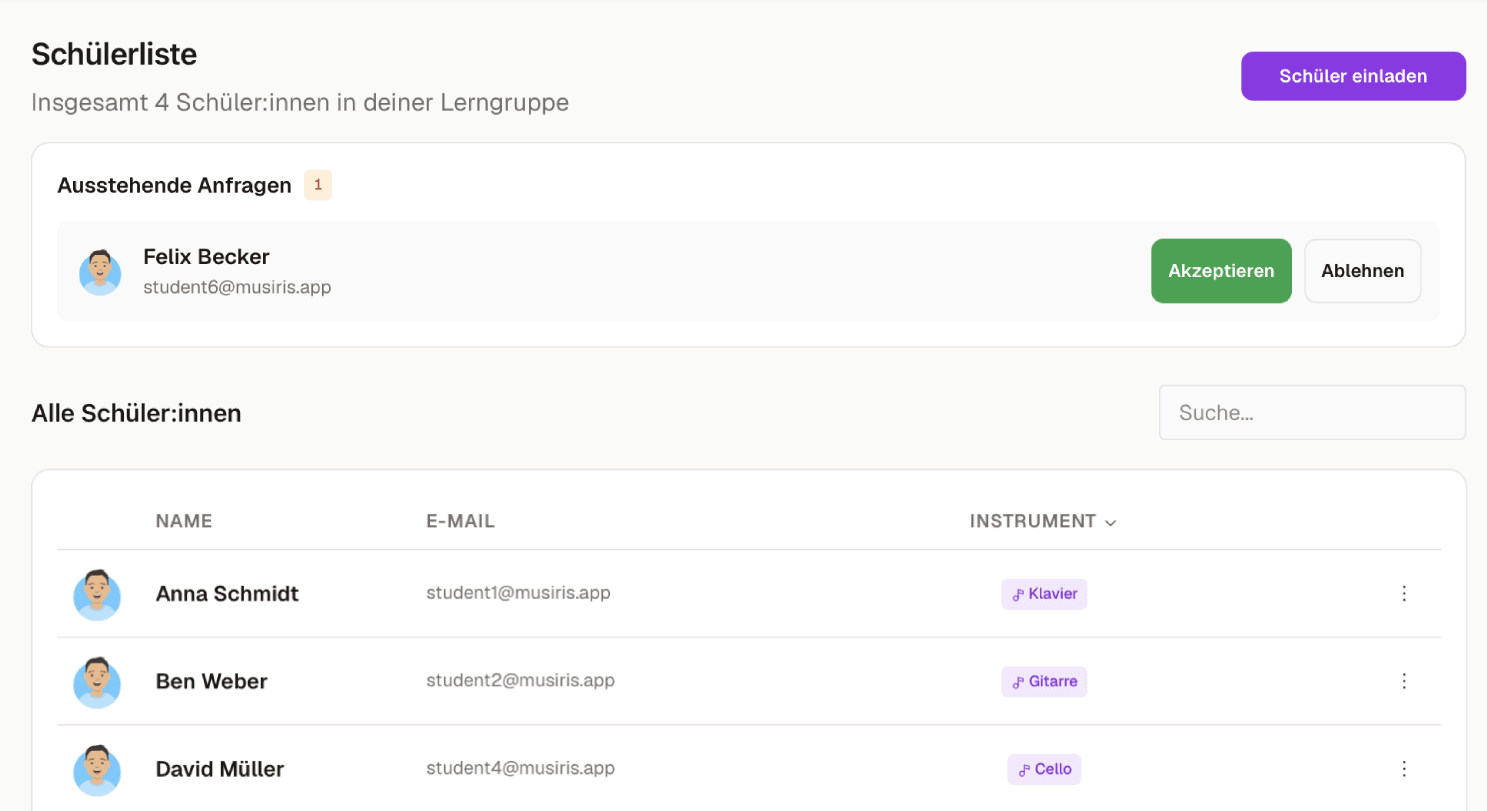
An overview of all your students, their instruments and skill levels. You accept join requests to your learning group in a single click.

  • Invite by code: Students join your learning group with a code.
  • Connecting: With the invite code, students can be assigned to your learning group directly after registration.
Student list with open join requests and a table of all students
Fig. 1: Student list with a pending request

Understand the learning process

Practice tracking

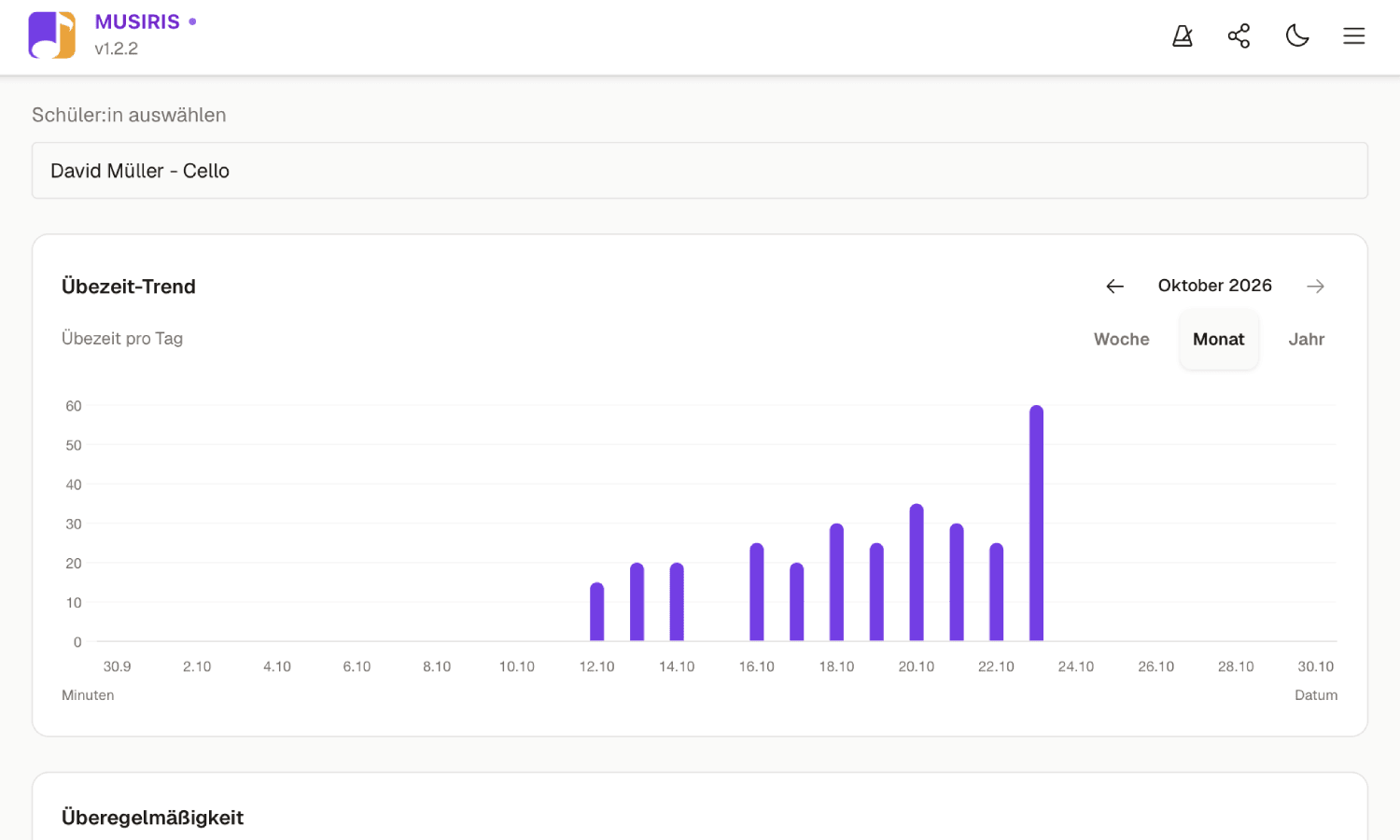
As a teacher you see how your students practise and how they rate themselves (no mood profile). Ideally, you know before the next lesson what has been worked on.

  • All the key info: Practice time trend (week, month, year), regularity, goals, repertoire and further insights.
  • No surveillance tool: The collected data makes the practice process more transparent. It is meant to motivate and serve as a basis for conversation, not as a report card.
Practice tracking view with one student’s entries
Fig. 2: A student’s practice time trend (month view)

Lessons & personal appointments

Calendar

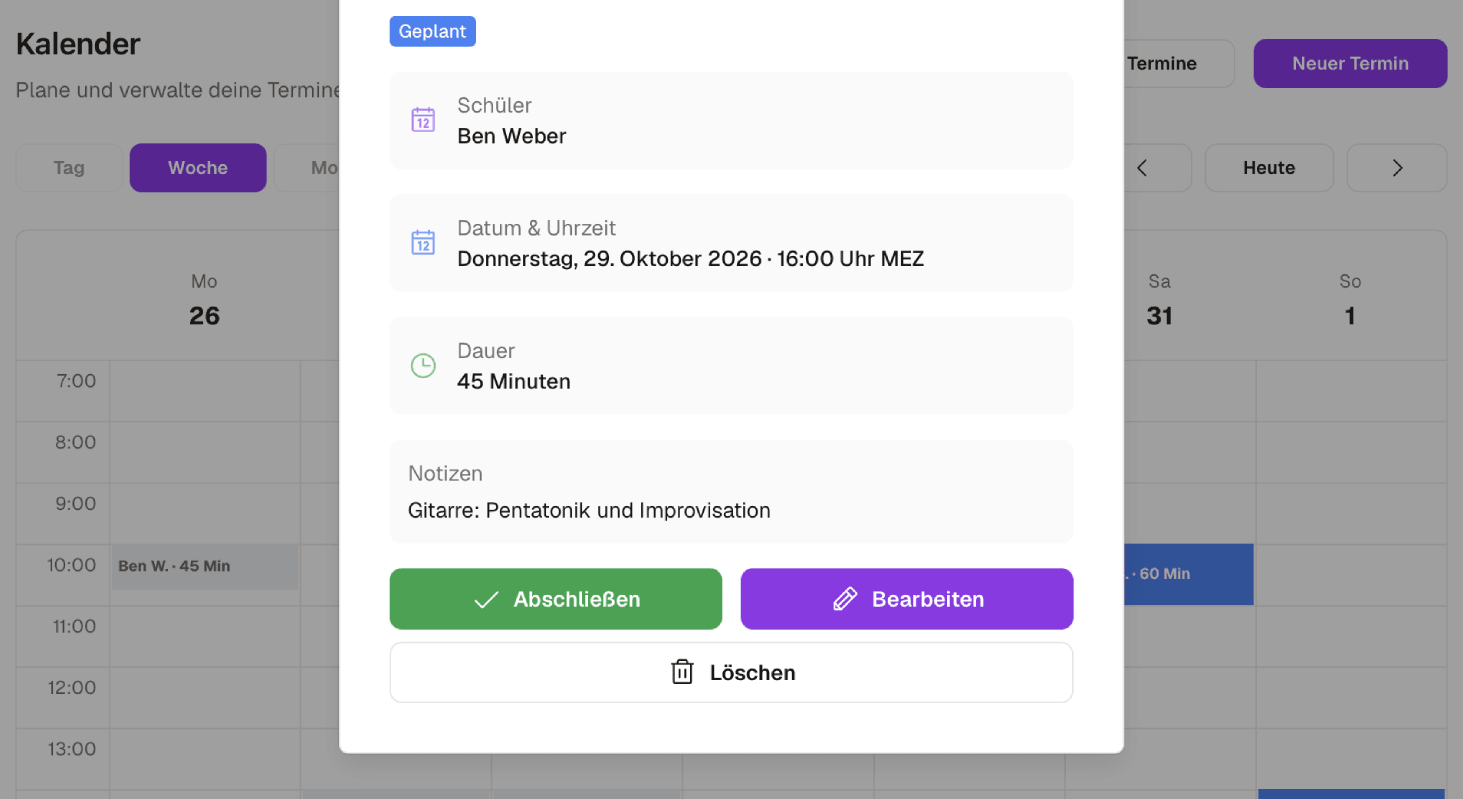
You decide when you are available. Students see the free slots and request an appointment.

  • Appointments: Lesson and personal appointments in one calendar.
  • Holiday mode: Set blockers and days off to lock areas of the calendar.
  • Reminders: Your students receive an email reminder 24 hours and one hour before the lesson.
Week calendar with lessons
Fig. 3: Calendar with an appointment in the detail view

Including status & feedback

Homework

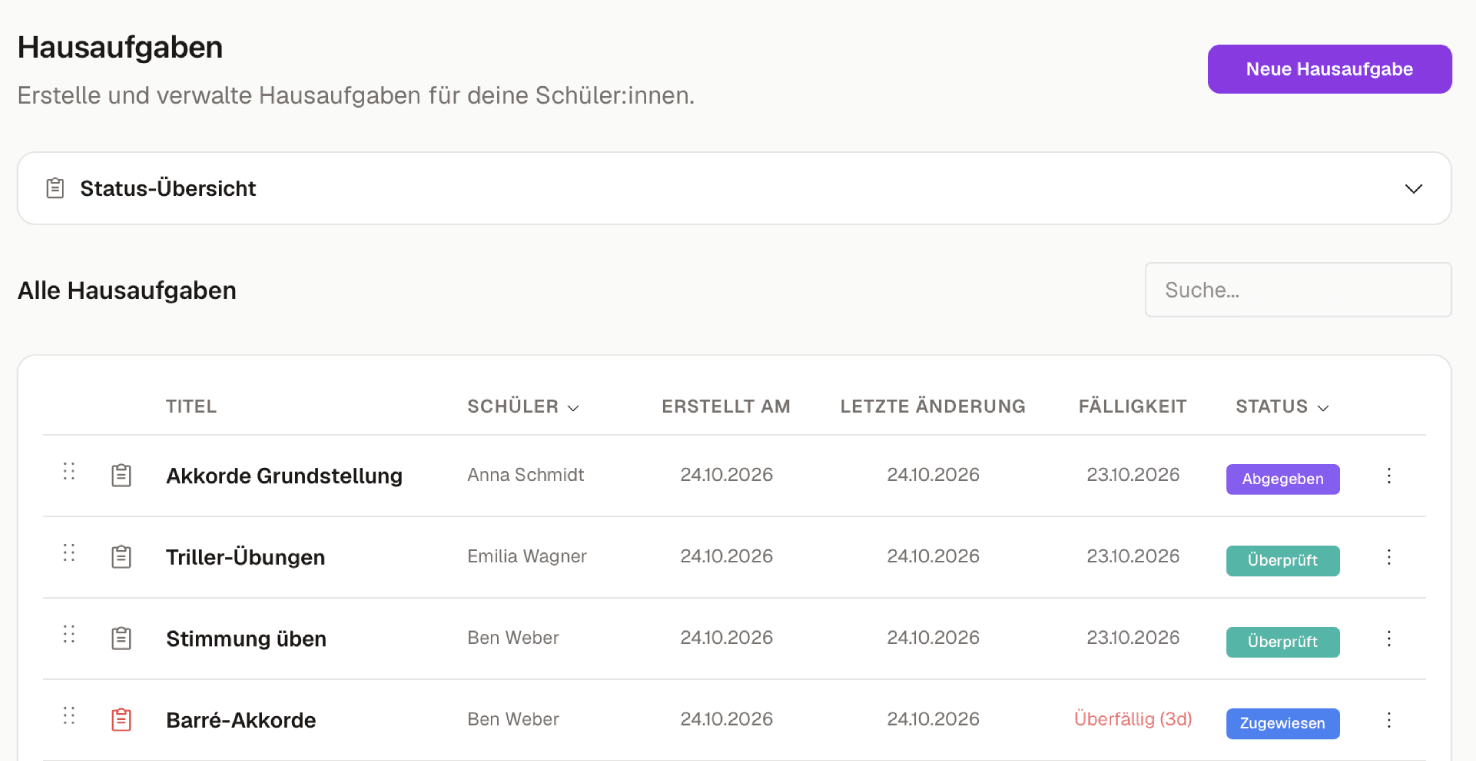
Create tasks, add a due date and track progress.

  • Rich-text editor: Tasks can be formatted and links added (planned: attach material from the media library), optionally with a due date.
  • Status: Each task is tracked with a status over a defined period. The current state is visible to both sides.
  • Feedback: Feedback is possible directly on the task and optional for teachers.
Homework list with status and due date
Fig. 4: Homework with sortable entries, status and due date

Group and direct messages

Messages

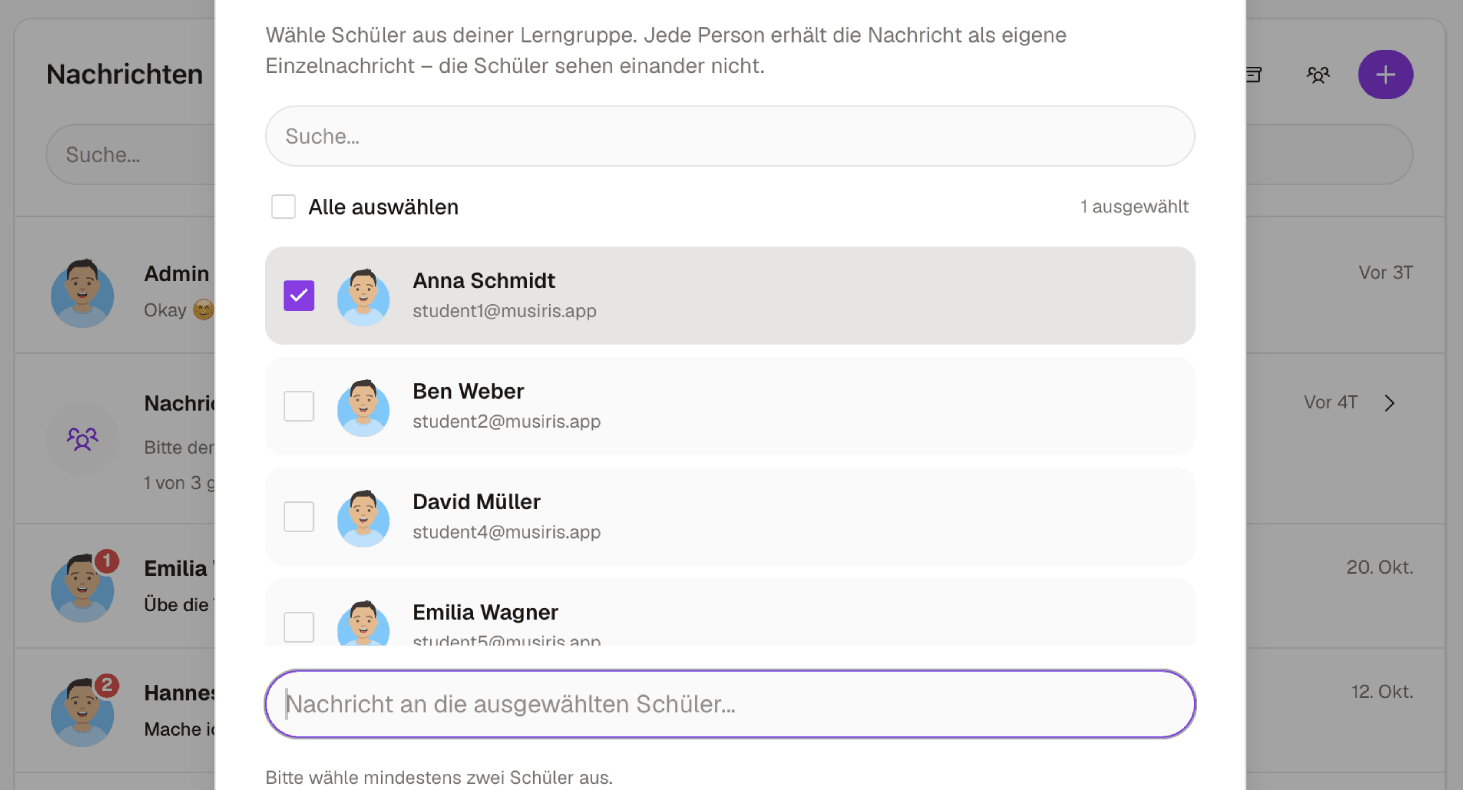
With MUSIRIS your messages are in one place, secure and archivable. Group messages are also possible.

  • Search: Find individual messages or content quickly via search.
  • Notifications: As soon as someone gets a new message, they are notified via the portal.
  • Emojis and file upload: Besides text you can send emojis and upload files (planned, date not set).
Message view with conversation history
Fig. 5: Dialogue for sending a group message

Everything in one place

Media library

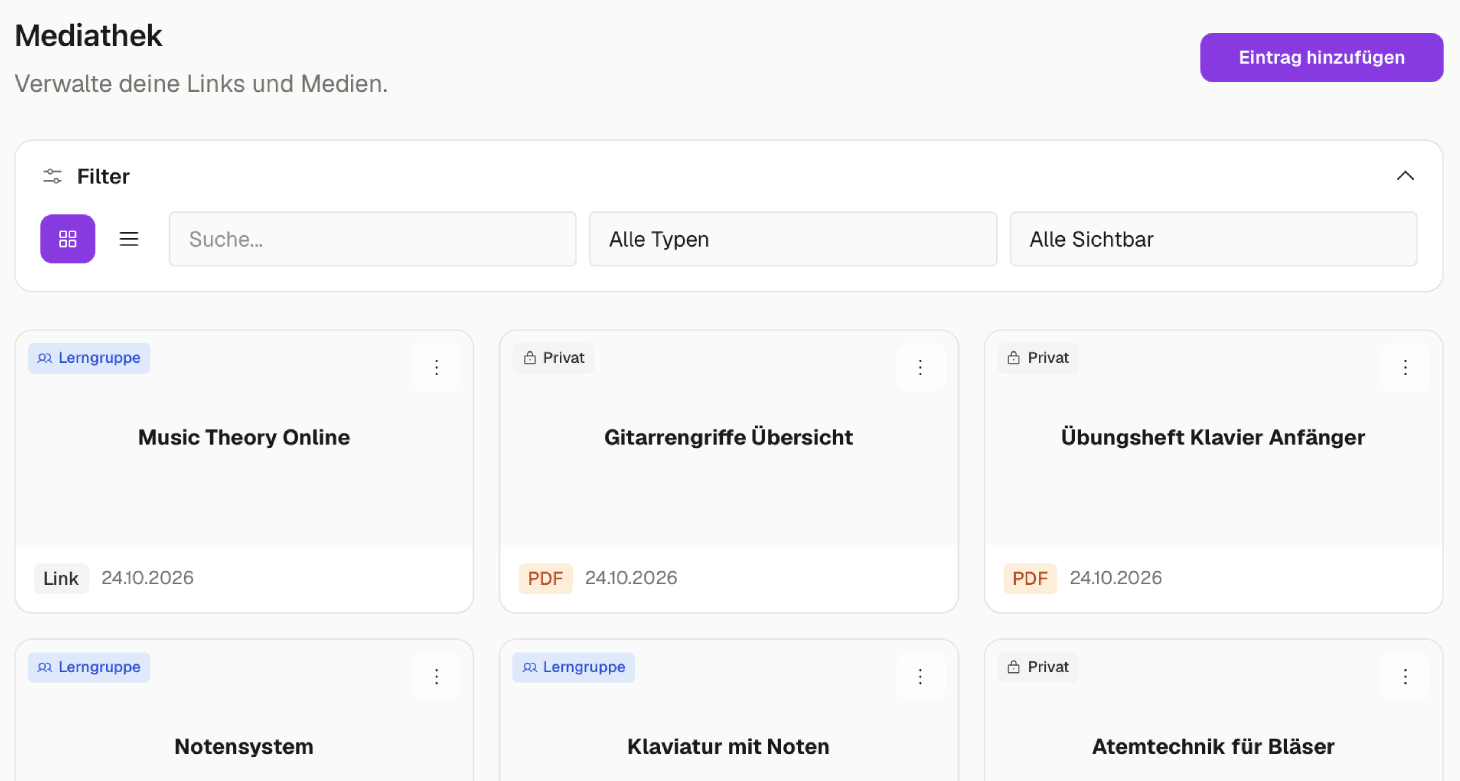
Sheet music (PDF), YouTube and Vimeo links, images and regular links are currently supported. File upload is planned – starting with the media library.

  • Embed links: Embed material by URL (Dropbox/Google Drive), visible to the whole learning group.
  • Visibility: Private, for the learning group, or for all teachers of a music school.
  • Planned: File upload in the media library. Material is currently linked, not uploaded.
Media library with media cards and filters
Fig. 6: Media library with search, filter and visibility settings

Manage your exercises

Exercise catalogue

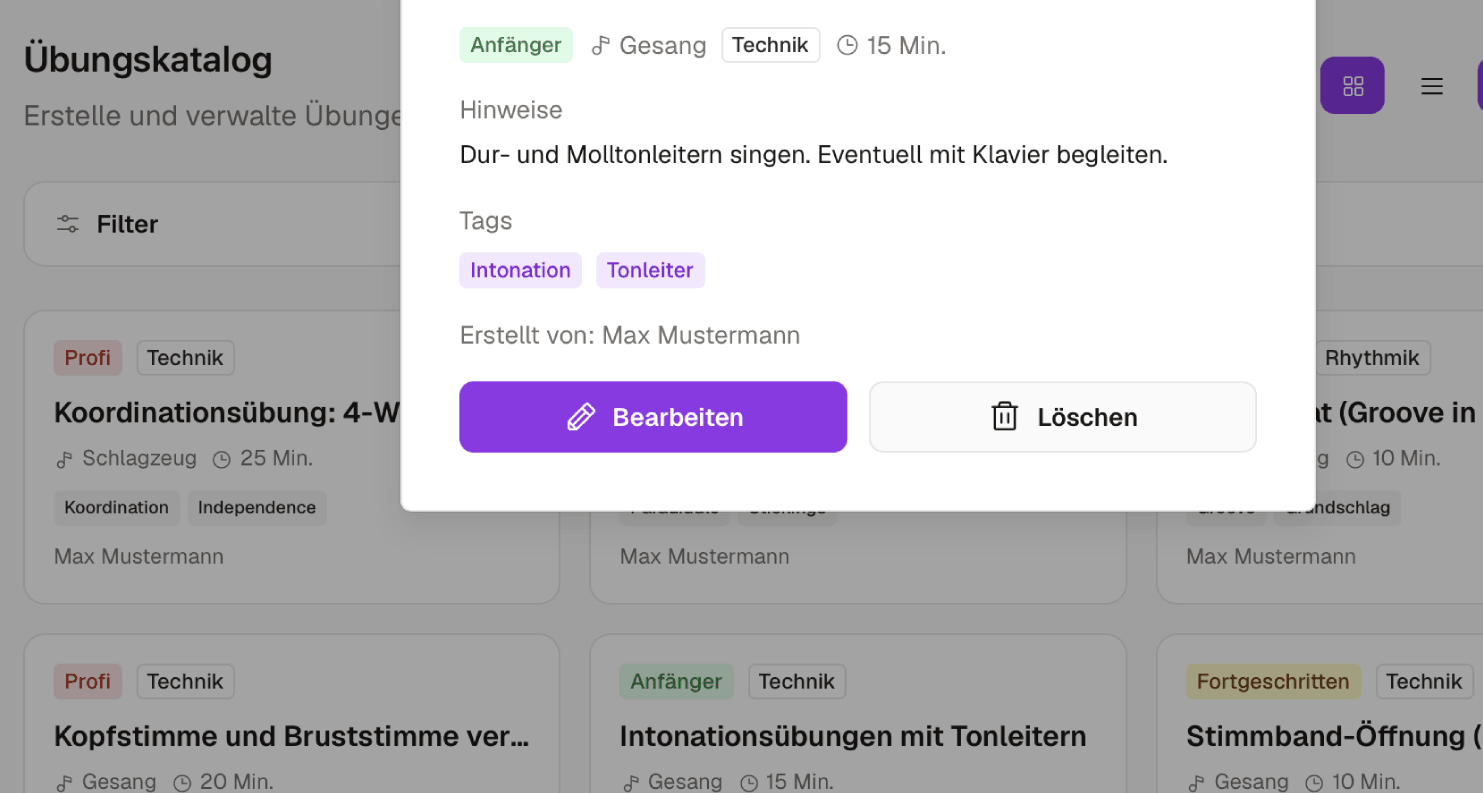
Create proven exercises and methods once for everyone in the learning group. Your students pin what they currently want to practise.

  • Your own exercises: Create your own exercises, including description, tags, instrument and categories.
  • Pinning: Exercises from the catalogue can be pinned and noted in the practice journal.
Exercise catalogue with created exercises
Fig. 7: Teacher view of an exercise in the catalogue

For your students

Lessons that continue between sessions.

Your students keep their own practice journal and get a learning overview with practice regularity, goals, practice categories and progress. Before the lesson you can see what they have worked on and save valuable lesson time.

Practise regularly – and see it

“How regularly do I actually practise?” – without structure, practising between lessons often falls by the wayside.

Practice journal and learning overview with heatmap show when and how long you practised.

Before the lesson you see who has practised and where things are stuck – and can pick up right there.

Clarity about what comes next

“What do I work on next?” – goals, pieces and tasks are otherwise scattered across notes and chats.

Goals, repertoire, homework and media library are in one place, available any time.

Your students know exactly what was covered and what currently matters between lessons – so you have less to chase up.

See progress, without pressure

Anyone who can’t see progress loses motivation.

History and statistics make progress visible – following your principle “practising is not a competition”.

Students stay engaged because they can shape their development and see progress themselves – motivation instead of control.

Independently organised

Appointment requests, tasks and messages otherwise run through emails and chats and can get lost.

See and request free slots, tasks and messages in one place.

Less back and forth – requests reach you in a structured way.
Music schools and academies

Do you run a music school/academy?

Many teachers work at a music school, and usually each has their own exercises, media, homework and message histories. MUSIRIS offers the following advantages:

A shared material pool

Media library and exercise catalogue are maintained once and apply to the whole organisation. No duplicate folders, no lost sheet music.

Handovers without loss

Goals, repertoire and practice history are attached to the student’s profile. Depending on settings, all or selected teachers of the organisation have access to the learning profile.

Automatic assignment

Anyone who joins a teacher of the music school automatically belongs to the organisation. No separate assignment, just a simple process for your onboarding.

Consistent quality

Through the shared exercise catalogue, all teachers work with the same proven methods – new colleagues find their way immediately.

Fig. 8: Music school/academy with two teachers using MUSIRIS

We offer separate terms for music schools and academies – please get in touch via the contact form.

FAQ

Questions

What does MUSIRIS cost?

As a teacher you use MUSIRIS for free with up to five students. After that, the price depends on the number of students. Music schools get separate terms.

Do my students need their own account?

Yes. Practice entries, tasks and messages only arrive structured this way.

Can I upload files?

Not yet. The media library works with links to YouTube, Vimeo, PDFs and images. File upload is planned – starting with the media library.

Which devices does MUSIRIS run on?

In the browser on desktop, tablet and smartphone, without installation.